step 1Express
Say it your way.
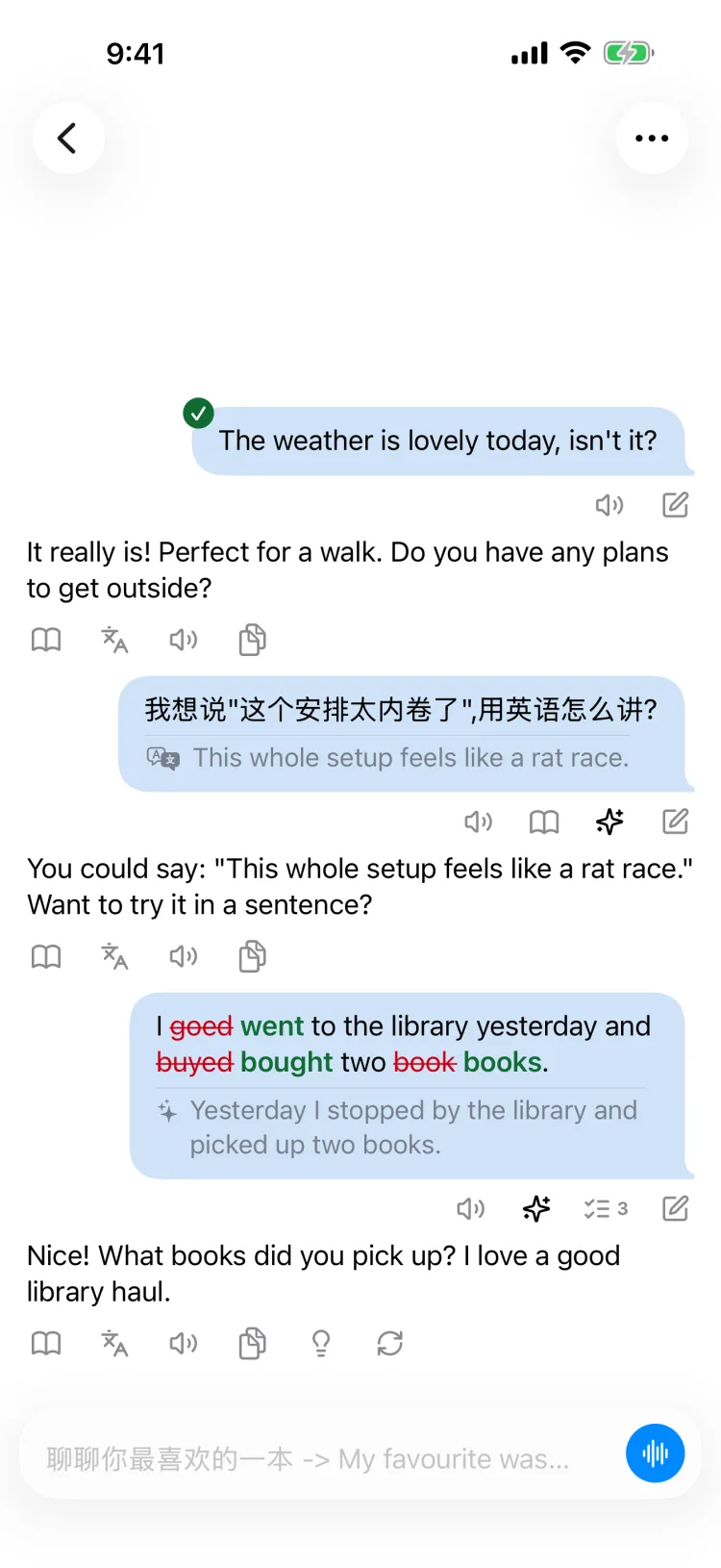
Type, or hold the mic and talk. Stuck on a word? Ask in your own language — the answer comes back in natural phrasing, ready to keep the conversation going.
 ConverloopComing soon to the App Store
A cross-platform AI conversation partner. Type or speak, and every sentence comes back corrected inline, with natural, native phrasing. It identifies gaps in your language understanding, giving you targeted explanations and practice.
iPhone & iPad · iOS 26 or later
Why Converloop?
More than just an AI partner — it's a complete learning loop. In every chat, get instant corrections, native polishing, and contextual explanations, backed by in-context vocabulary lookup, bilingual reading, natural AI voice, and smart reply hints; then turn your real conversations into targeted listening and dictation drills until it becomes second nature.
Express → Notice → Remember → Reuse
step 1Express
Type, or hold the mic and talk. Stuck on a word? Ask in your own language — the answer comes back in natural phrasing, ready to keep the conversation going.
step 2Notice
Mistakes are marked inside your own sentence: struck through in red, fixed in green. Right below, learn natural native phrasing in the style you choose — casual spoken, street talk, business, or your own custom prompt.
step 3Remember
Pinpoints your blind spots and misunderstandings. Slips, native uses and expressions you looked up are saved to your learning record on device, targeting weak points with no guesswork.
step 4Reuse
Targeted drills designed around your gaps. Concepts you haven't mastered yet return as recommended scenes, listening lines, and dictation — until they become second nature.
Scene training
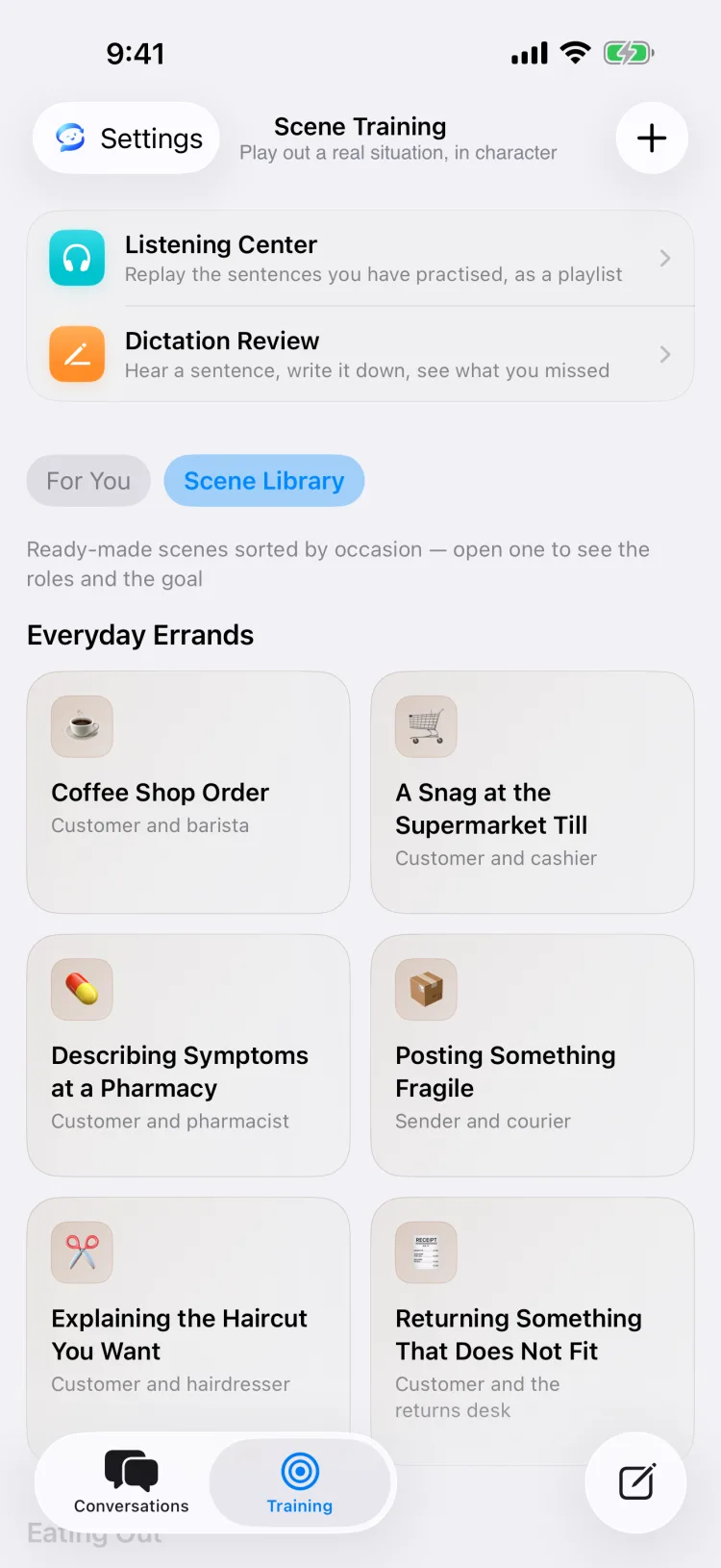
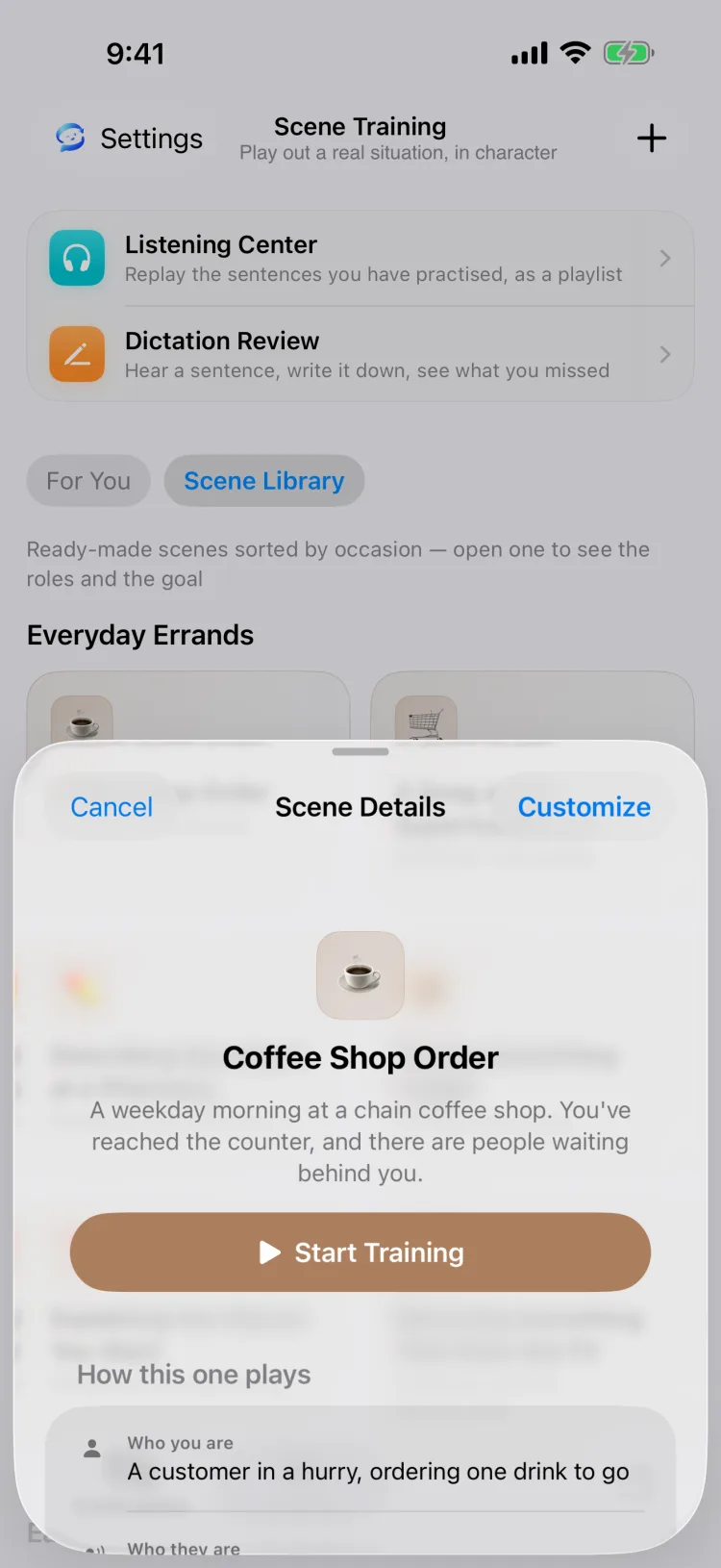
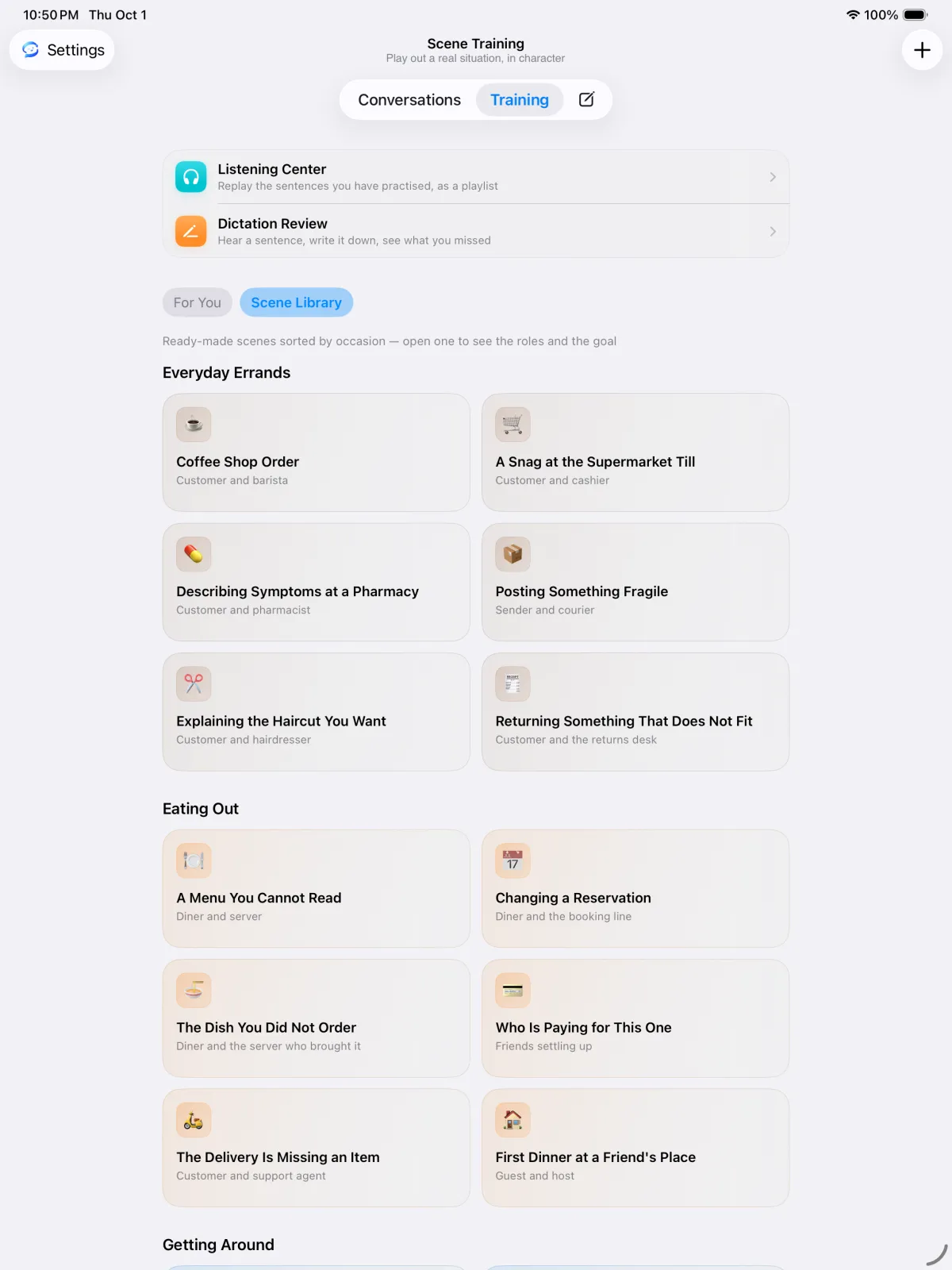
From a snag at the supermarket till to asking for a raise: nine shelves of ready-written scenes, each with the roles, a goal, common phrases and a sample exchange. Or describe your own situation and the AI plays the other side.
Scenes chosen around what you're working on — and why, in one line.
54 built-in scenes across nine shelves, from errands to hard conversations.
Describe a place, two roles and a goal. Save it, then start whenever you like.
On every message
Tap under any reply, or select a few words. Answers stream in as they're written, so you're reading before they're finished.
Select any words to see what they mean right here, with collocations, near-synonyms and fresh examples. Every lookup is saved to your Looked-up Expressions automatically.
Sentence-by-sentence translation under any reply — or have every reply open with it.
In-depth explanation in context: break down what the sentence is doing, analyze natural collocations, and give you a practical example ready to reuse.
Not sure what to say next? Get a few directions to take it — not a script.
Hear the reply and your polished sentence, in Apple voices or Converloop AI's natural voices — free.
Finish a conversation and get a recap card: the app counts what happened, the model names the pattern behind it and one next step.
Listening Center & Dictation Review
Built entirely from sentences you've actually used — no stock recordings, just the language you really need.
Replay the sentences you've practised as a playlist, with translations, gaps between lines, a sleep timer, background audio and lock-screen controls.
Hear a sentence, write it down, see what you missed — marked like a teacher's red pen, right on top of what you wrote.
Lines in your native language, fragments under three words and teaching asides never make the queue. Swipe away anything else.
A memory with a boundary
A conversation stays coherent within its own thread, but your personal life is never tracked across chats or turned into long-term memory.
Choose your AI
Pick a model service during setup and switch any time in Settings. There's no Converloop account either way.
Voices: Apple (offline), Converloop AI's natural voices (free), or your own key — OpenAI, ElevenLabs, Gemini, MiniMax and more. Speech recognition runs on device with Apple by default.
Pricing
Then choose the plan that matches how you run the AI. No ads, no account.
For Apple Intelligence or your own API key
US$19.99one-time
We host the model — nothing to configure
Yearlysubscription
Converloop AI voices are free for everyone. Final prices are shown in the App Store for your region.
About languages, privacy, devices and price.
Seventeen are built in — English, Chinese (Simplified and Traditional), Cantonese, Japanese, Korean, French, German, Spanish, Italian, Portuguese, Russian, Thai, Vietnamese, Indonesian, Arabic and Hindi — and you can type in another. The app itself is in English and Simplified Chinese.
No. There's no Converloop account. If you use Converloop AI, the app registers a service ID for your device instead — there's nothing to sign up for.
Only learning state: your languages and level, goals, practice preferences, errors, expression gaps and review progress. Personal details from your conversations are never kept as memory across chats.
It depends on what you choose. Apple Intelligence's on-device model keeps requests on your iPhone; Private Cloud Compute is processed by Apple. With your own key, text goes straight to that provider; with Converloop AI, it goes to our service after you agree. Converloop AI voices send the text to be spoken to Xiaomi MiMo. Your learning records stay on the device.
iPhone and iPad on iOS or iPadOS 26 or later. Apple Intelligence also needs a device and region where it's available; if yours isn't one, use your own key or Converloop AI.
Every feature is free for 7 days. After that, Converloop Full is a one-time purchase for use with Apple Intelligence or your own key, and Converloop AI is a yearly subscription. Converloop AI voices are free.
Yes — Converloop for Desktop is a separate, free and open-source app for macOS, with its own codebase and features. About Converloop for Desktop →
Converloop is in TestFlight now and coming to the App Store soon. Email me if you'd like to hear when it's out.

Coming soon to the App Store, for iPhone and iPad.